

Table of content
Your client's back office no longer matches Google Ads or Meta, and they want to know which number to trust. The cause is often the measurement: tracking that relies on the browser alone (client-side) lets part of the conversions slip away. Server-side tracking takes back control of that flow, without ever overriding the visitor's choice.
In short
Client-side, the browser sends data straight to each platform: it is exposed to blockers, Safari's ITP and the weight of third-party scripts.
Server-side, a server you control, on the site's own subdomain, filters and then forwards the data.
According to GWI (Q2 2025), 30.9% of Swiss internet users run an ad blocker.
Server-side does not replace consent: a refusal stays a refusal.
Client-side or server-side: what is the difference?
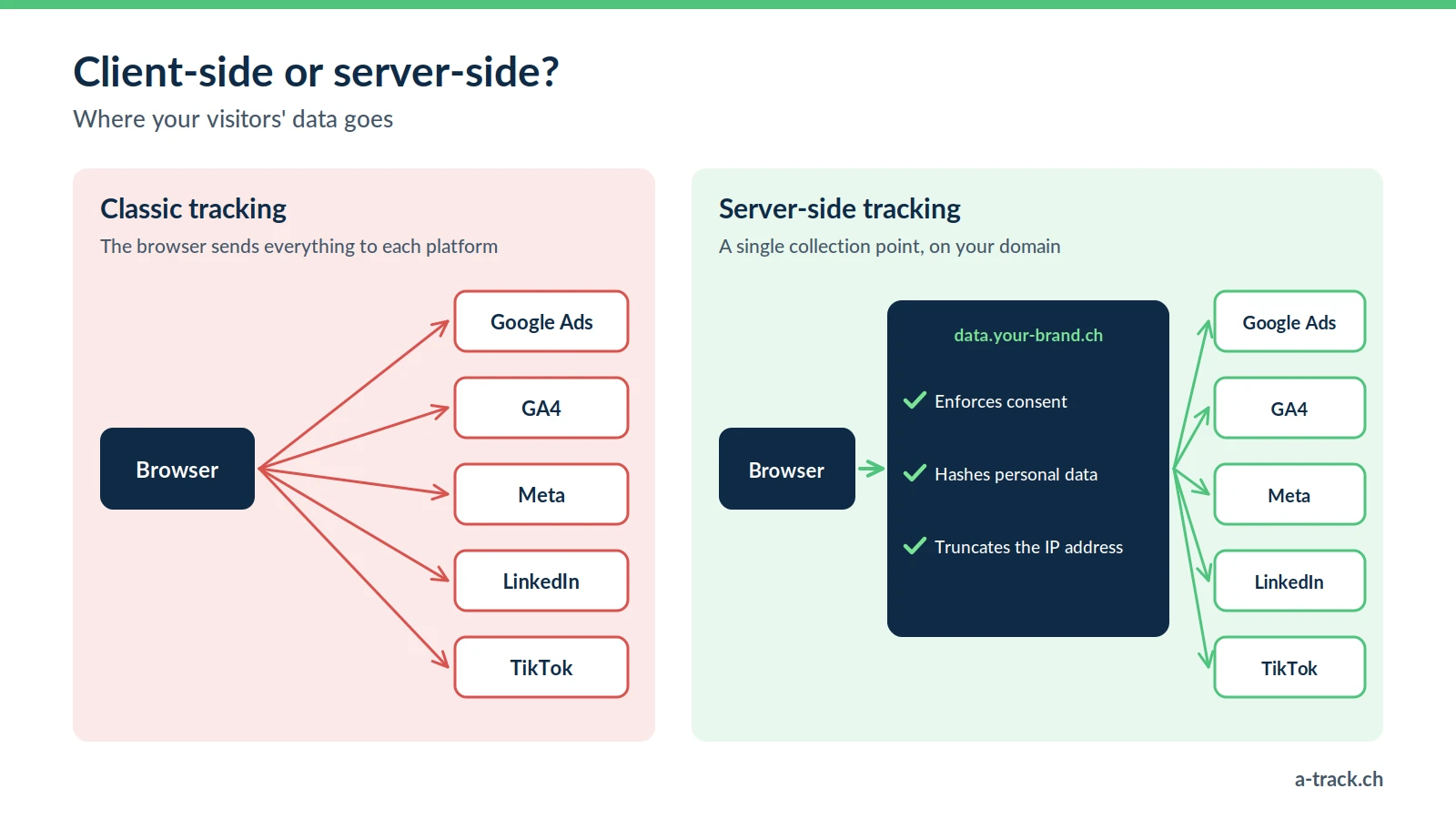
Both methods collect the same events. Only the path of the data changes.
Client-side ("pixel" method): the browser loads one script per tool (GA4, Meta pixel, LinkedIn tag) and sends data directly to each platform. Every script depends on what the browser agrees to run.
Server-side: the browser sends events to an intermediate server on a subdomain of your client's site (for example data.yourclient.ch). This server-side Google Tag Manager container applies your rules, then forwards the data to the platforms through their APIs. You decide what leaves, and where it goes.
Why client-side loses conversions
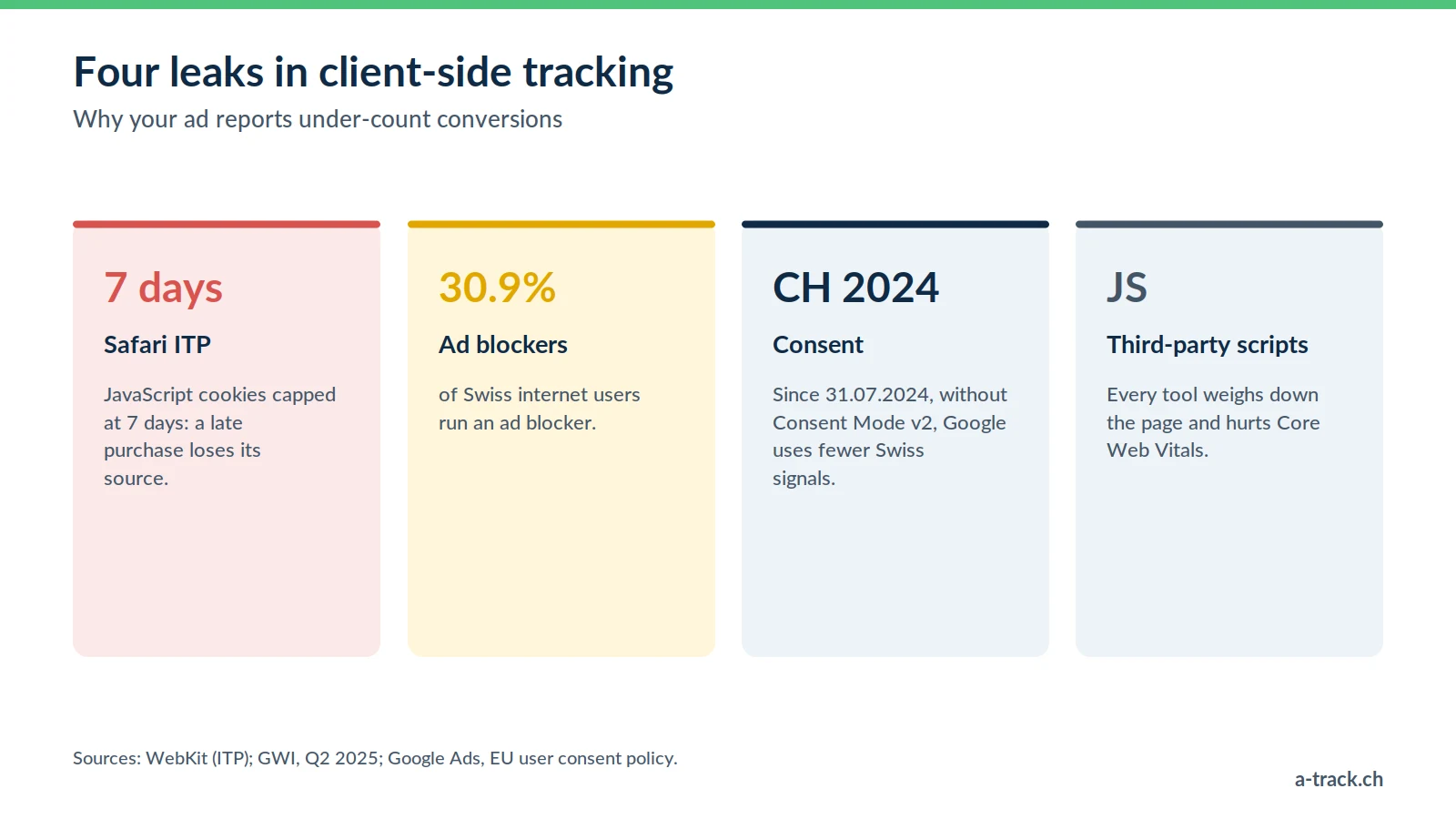
Four causes explain most gaps between the back office (Shopify, WooCommerce) and the ad reports.
Browser restrictions. Safari's ITP caps cookies set by JavaScript at 7 days (24 hours in some link-tracking cases). A purchase ten days after the click is no longer tied to the ad. And Safari accounts for close to half of mobile browsing in Switzerland (StatCounter, August 2026).
Ad blockers. According to GWI (Q2 2025), 30.9% of Swiss internet users run one. Google, Meta or TikTok scripts then never load.
Consent wired incorrectly. Without a properly configured Consent Mode v2, Google has made less use of Swiss visitors' data since 31 July 2024.
The weight of third-party scripts, at the expense of Core Web Vitals.
The technical answer: server-side GTM hosted on Stape
The most common architecture combines server-side Google Tag Manager (the container that receives events and orchestrates the sends) with Stape, the host we use, easier to maintain than a hand-managed Google Cloud instance. What it delivers:
First-party measurement. Measurement cookies are set by the site's own server, so they are more resilient to browser restrictions, provided the hosting is set up correctly: Safari also caps at 7 days the cookies set by a third-party server hidden behind a subdomain (WebKit, 2020).
More robust GTM loading. With Stape's Custom Loader, the GTM script is served from the site's own domain rather than googletagmanager.com. The CMP still decides what fires.
Conversion APIs (Meta CAPI, Google Ads, LinkedIn) connected from the same server.
Hosting you choose. A server in the EU or Switzerland makes data flows easier to control (FADP, GDPR), but data sent to Google or Meta in the United States is still a transfer to document (hosting comparison).
How to justify the investment to your clients
Server-side comes at a cost (setup, then a monthly server subscription). Two arguments handle the objection.
1. The performance argument
Smart Bidding and Meta's algorithm optimise on the conversions they receive. The more complete and reliable the signal, the better they bid. The gain depends on the site and on consent: measure it before and after, without promising a percentage.
2. The governance argument
Server-side, you choose which fields are sent: truncate an IP address, hash an email, strip a sensitive URL parameter before anything leaves. It is a concrete application of data protection by design (Art. 7 FADP), an argument DPOs understand.
A-Track tip
Before quoting the project, compare one month of back-office sales with what Google Ads and Meta report. The gap measured on your client's own site is far more convincing than a market average.
Frequently asked questions about server-side
Does server-side replace the pixel?
No. The recommended setup is hybrid: the pixel stays in the browser, the conversion API sends the same events from the server, and the platform deduplicates them with a shared identifier (event_id). See the Meta documentation.
Does it work with every CMS?
Yes: through the dataLayer and GTM, on Shopify, WooCommerce, PrestaShop or a custom site.
Does the site get faster?
Only if you remove scripts from the browser. Adding server-side without removing anything client-side gains nothing.
Conclusion: where to start
Measure the gap between the back office and the ad platforms over one month (method in our performance measurement guide).
Check the CMP and Consent Mode v2 before any migration: the server applies the visitor's choices, it does not replace them (see our FADP and GDPR compliance guide).
Deploy a server-side container on a client subdomain, then monitor it over time: server-side tracking can break after go-live.
How wide is the gap between back office and ad platforms?
A-Track measures the gap between real sales and reported conversions, then deploys server-side GTM on the client's subdomain, always respecting consent.
Let's discuss it in a 30-minute call with an expert.