
Performance Marketing & Tracking: The Strategic Guide for Switzerland & Europe for 2026
Why your tools only see part of your conversions, and how to rebuild reliable, compliant measurement. Browser restrictions, consent, blockers, server-side tracking, conversion APIs, POAS and a 12-month roadmap.
Table of content
1. The end of "easy" tracking
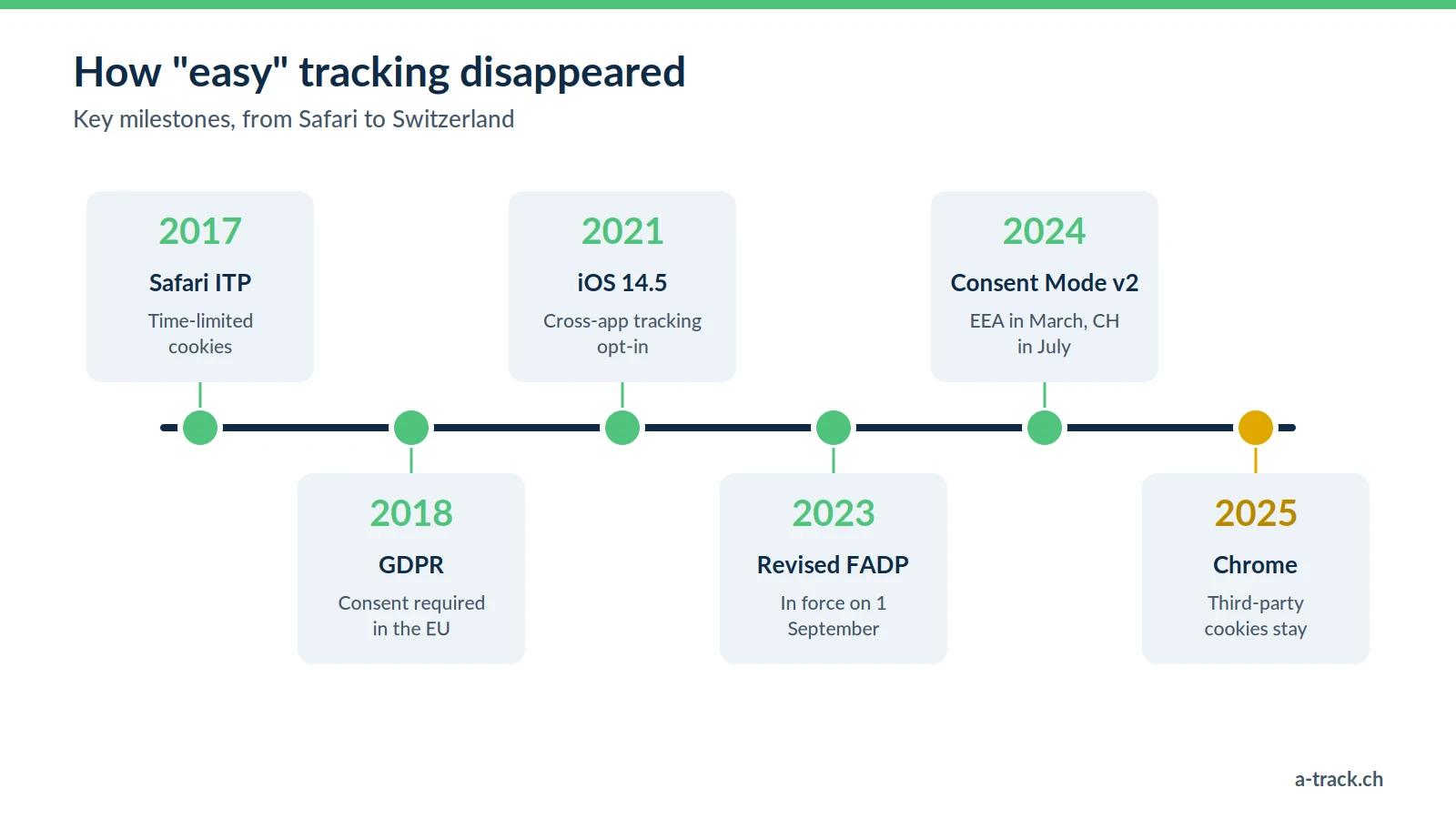
A few years ago, a Facebook pixel and a Google Analytics tag were enough to follow a customer from the ad to the purchase. That model has eroded step by step: browser restrictions, data protection laws and consent requirements from the ad platforms.
The result: your tools see only part of your real conversions, and that part is what your bids and budgets are managed on. This guide explains why, and how to rebuild measurement that is reliable and compliant with the FADP and the GDPR.
2. Why your dashboards underestimate your results
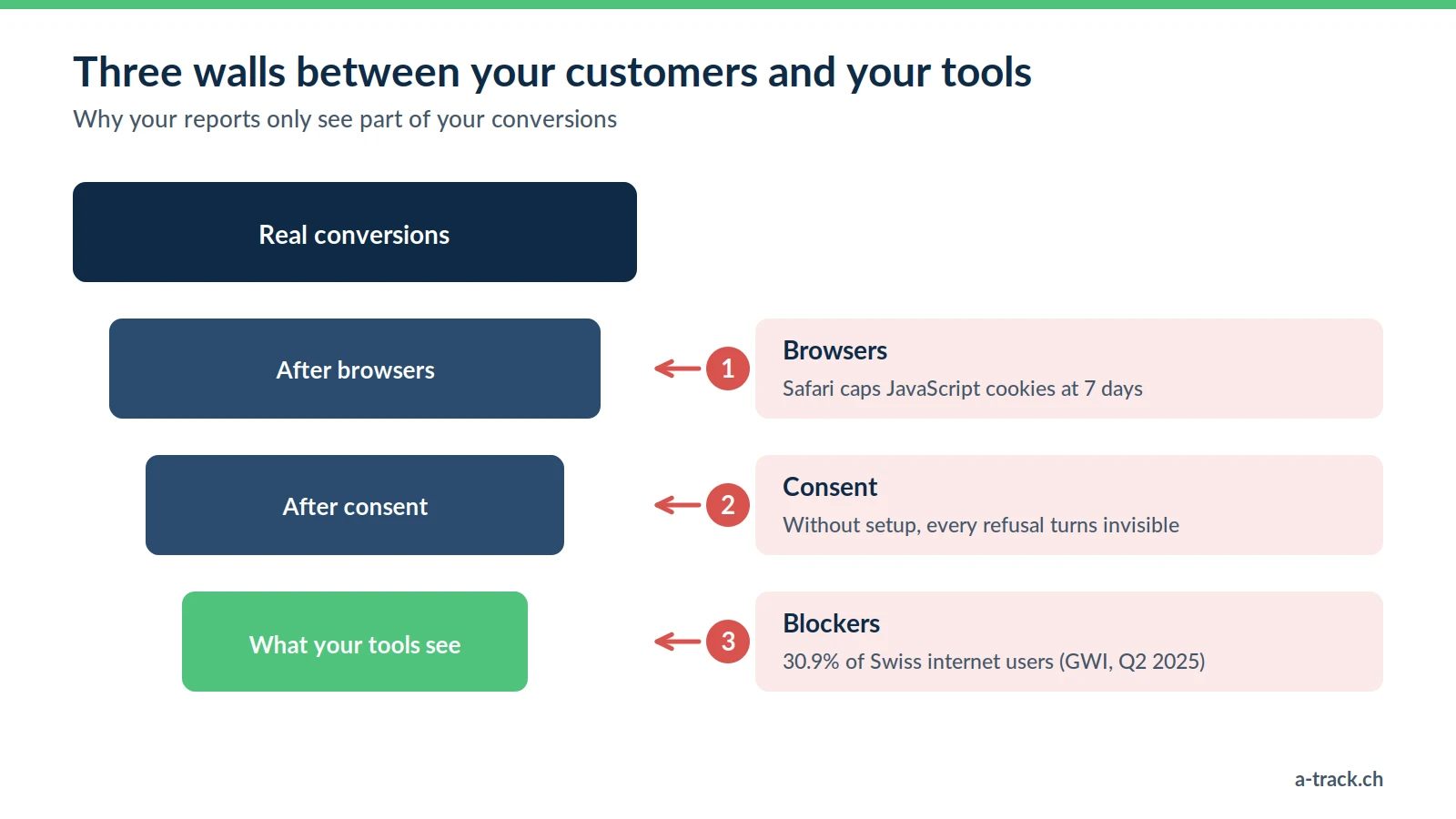
Browser restrictions
Safari caps cookies set by JavaScript at 7 days (ITP), and sometimes at 24 hours. A prospect who clicks an ad on Monday and buys ten days later is no longer linked to that ad: the sale shows up as "direct".
Consent
In Switzerland as in the European Union, visitors can refuse tracking. The refusal rate depends heavily on your banner and your audience. Without the right setup, every refusal makes a visitor completely invisible.
Blockers
According to GWI, 30.9% of Swiss internet users use an ad blocker (second quarter of 2025). These tools often stop Google Tag Manager, GA4 or the Meta pixel from loading.
The consequence: if you steer your budgets on what GA4 shows in its standard setup, you are probably under-investing in your best channels, because their performance is undervalued.
Note: Chrome did not remove third-party cookies after all. In April 2025, Google dropped both the removal and the planned choice prompt. The problem therefore does not come from Chrome, but from Safari, blockers and consent.
3. Consent and Consent Mode v2: respect the choice without going blind
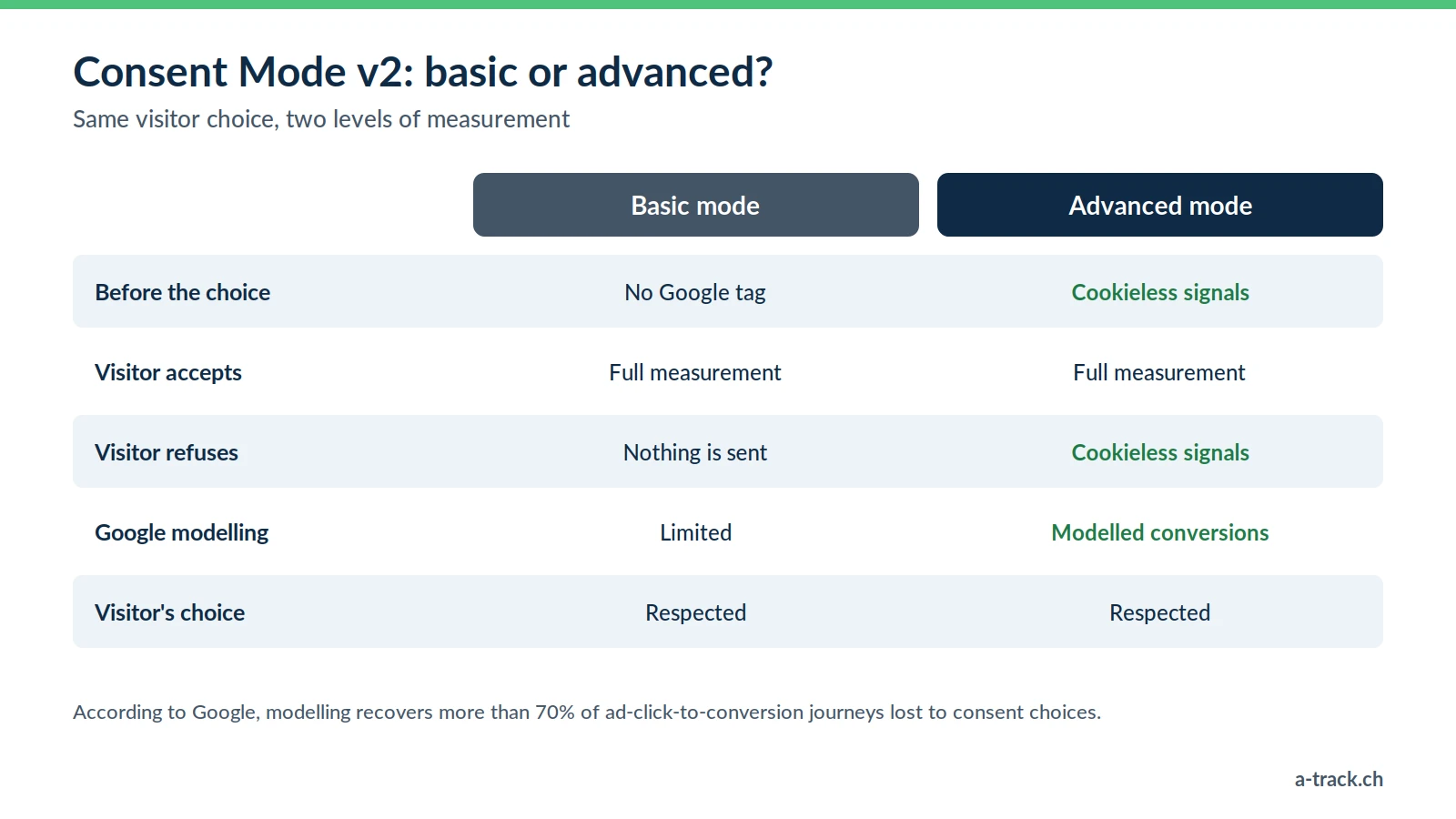
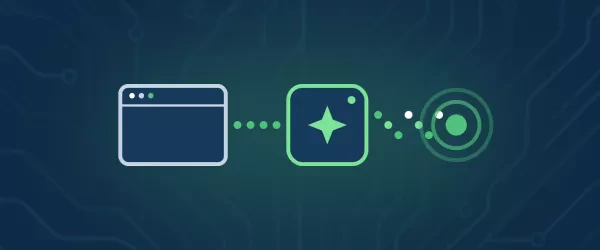
Since March 2024 for the European Economic Area, and since 31 July 2024 for Switzerland, Google requires consent signals for its advertising features. Consent Mode v2 sends them.
Basic mode: no Google tag loads before acceptance. Simple, but every refusal is lost.
Advanced mode: after a refusal, cookieless signals let Google model part of the conversions. Google states that this modelling recovers more than 70% of the ad-click-to-conversion journeys lost to consent choices.
Choosing between the two is both a legal and a marketing decision. Our FADP and GDPR compliance guide covers the obligations in detail.
4. Server-side tracking, simply explained
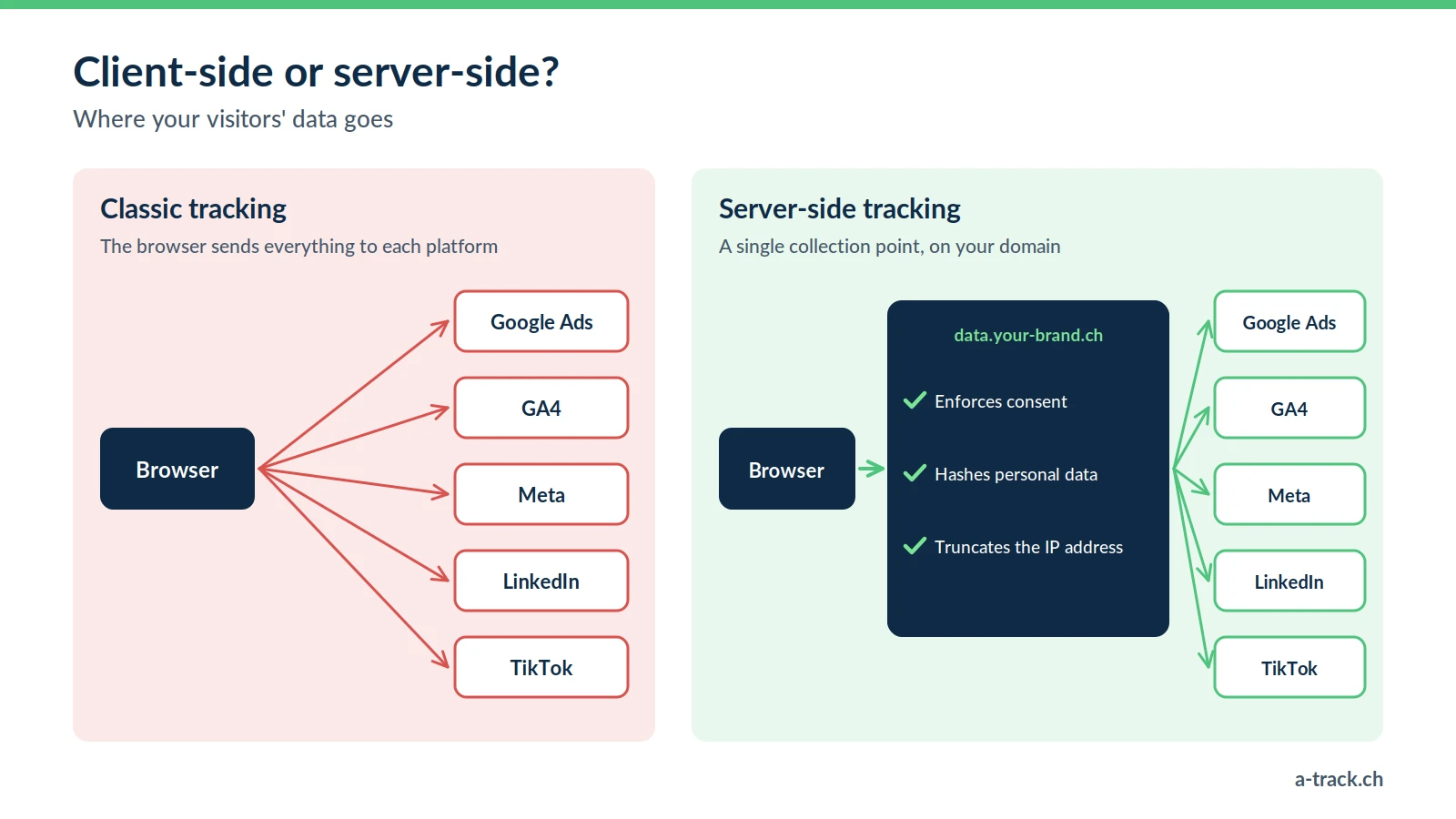
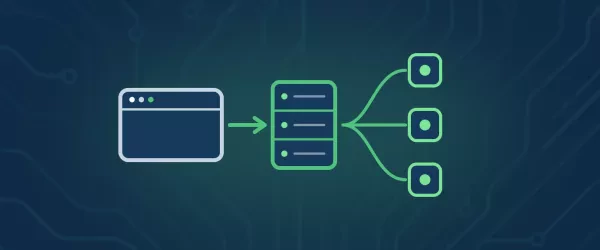
With classic tracking, the visitor's browser sends data itself to Google, Meta, LinkedIn and every other tool. With server-side tracking, it sends it to a single place: a tagging server installed on a subdomain of your website (for example data.your-brand.ch).
Collection: the browser sends events to your subdomain.
Control: the server enforces consent, removes or hashes personal data and truncates the IP address where needed.
Distribution: it sends each platform only what it needs.
What you gain:
More complete data: fewer third-party scripts in the browser, so collection is more robust against blockers and Safari restrictions. Consent is always respected.
A faster website: less JavaScript to load on the visitor's phone.
Control over data flows: you decide what goes to each platform and where your data is hosted (Switzerland or EU).
5. Conversion APIs and first-party data
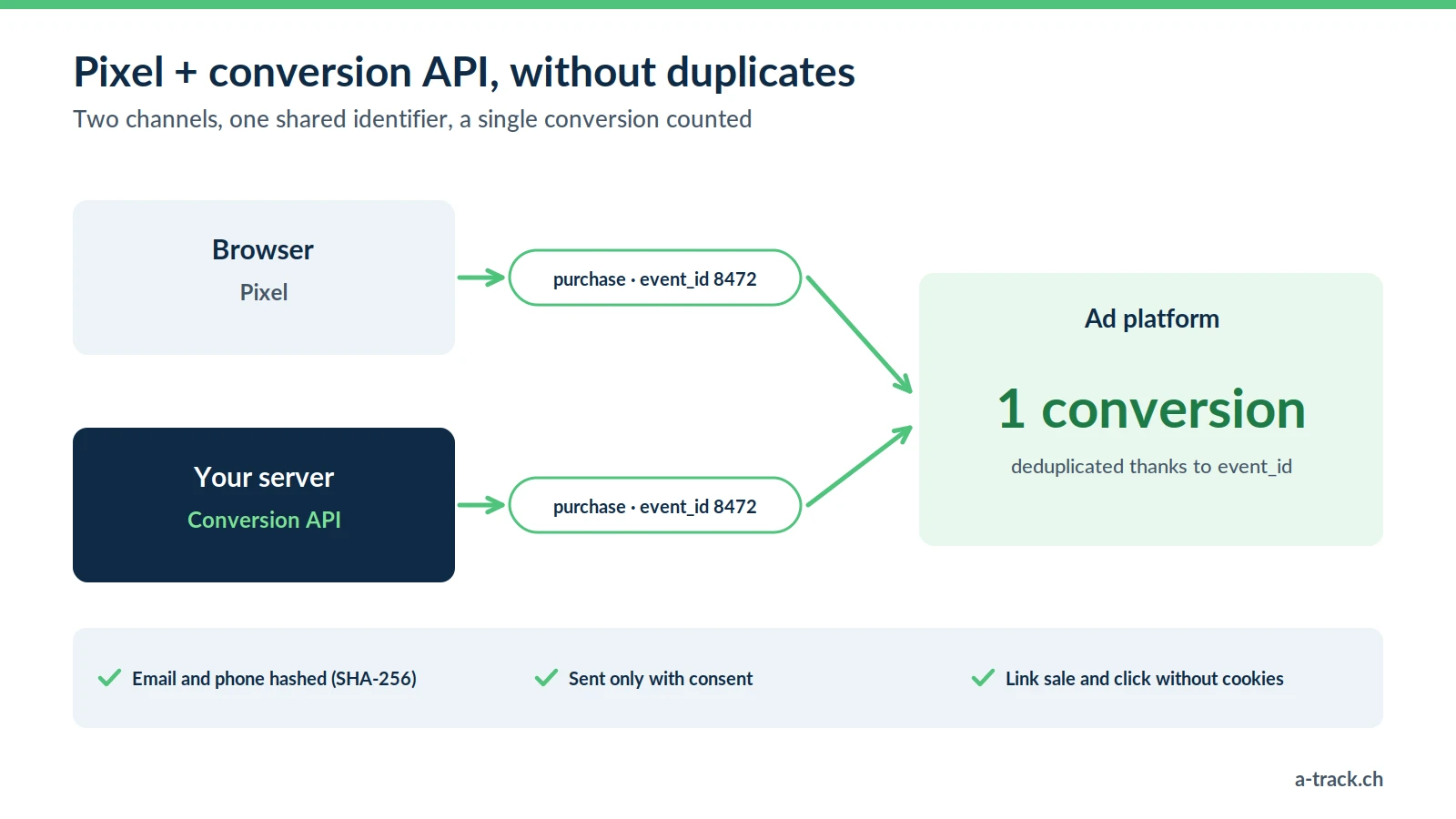
Conversion APIs (CAPI) send conversions directly from your server to the ad platform: Meta Conversions API, Google Ads Enhanced Conversions, LinkedIn Conversions API, TikTok Events API.
Used together with the pixel, they complement each other: each event carries a shared identifier (event_id) that lets the platform remove duplicates. Contact details (email, phone) are hashed before sending and are only sent with the visitor's consent.
The real asset: your first-party data. A clean CRM, emails collected with consent and a well-structured dataLayer are worth more than any cookie-based audience.
6. Steering differently: modelling, POAS and MMM
From ROAS to POAS
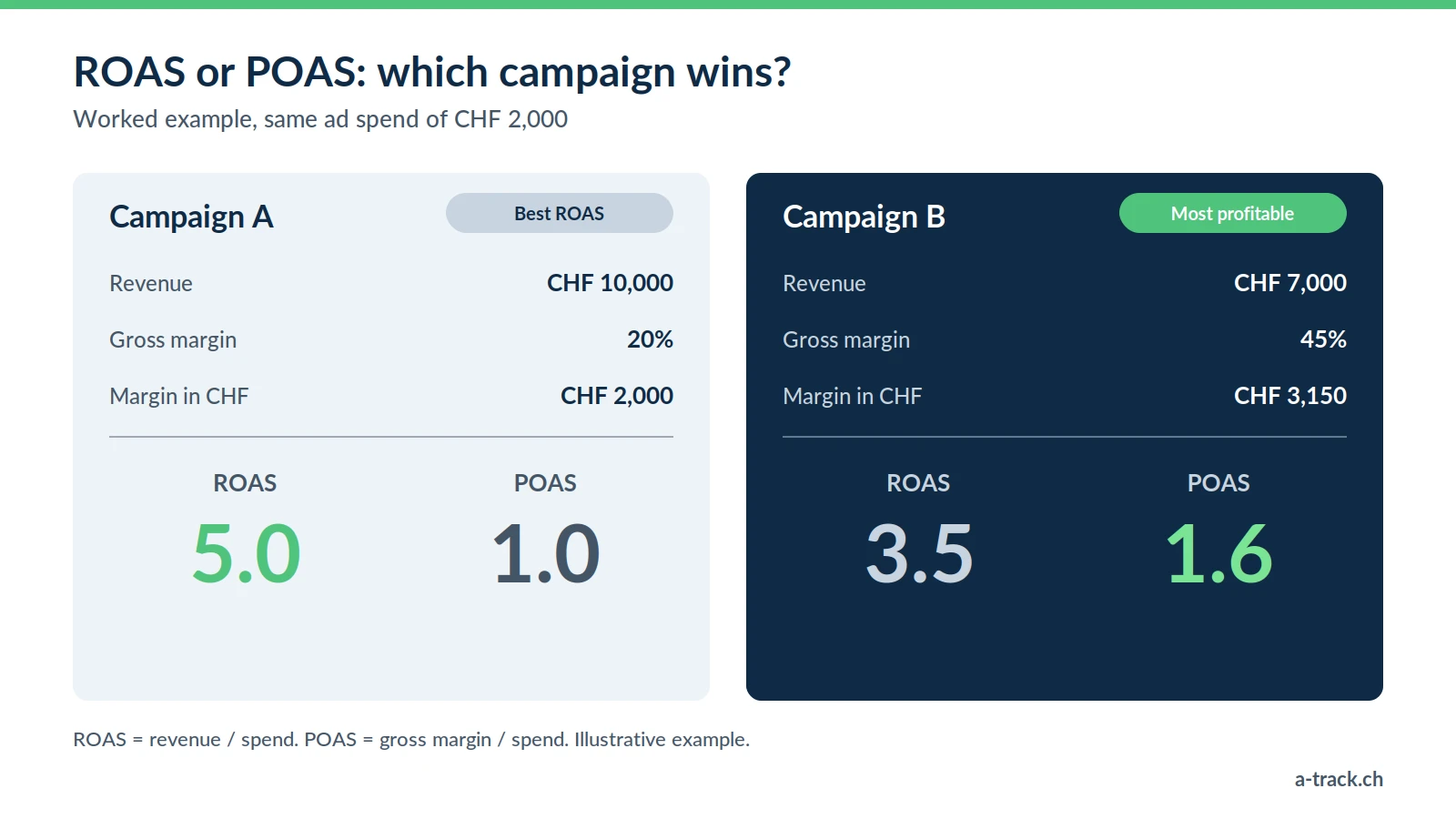
ROAS divides revenue by ad spend. It ignores your margins, returns and shipping costs. POAS (Profit On Ad Spend) divides gross margin by ad spend. With server-side tracking, the margin can be added to each sale without exposing it in the browser.
In the example shown, campaign A has the best ROAS but campaign B returns more margin per franc invested.
Marketing Mix Modelling
For advertisers active on several channels (TV, outdoor, YouTube, social media), MMM links media investment to overall sales through statistics, without tracking individuals. Open-source tools such as Meridian (Google) and Robyn (Meta) have made it more accessible.
7. Your 12-month roadmap
Phase 1: audit and clean-up
Inventory the tags in Google Tag Manager and remove what is obsolete.
Check the consent banner and Consent Mode v2.
Map the data sent to each platform and each country.
Phase 2: infrastructure
Deploy a server-side container on a subdomain of your website, hosted in Switzerland or the EU.
Activate the Meta, Google Ads and LinkedIn conversion APIs, with deduplication.
Phase 3: first-party data
Structure the dataLayer (customer type, margin, product category).
Connect the CRM to measure sales closed offline.
Phase 4: steering
Feed your dashboards (Looker Studio, BigQuery) with reliable data.
Train teams to read modelled data and to steer on margin.
Monitor tracking continuously, because a single website update can break it.
Where to start? With a review. Request your free audit within 48 hours, or see our packages and prices.


Questions fréquemment posées
Does "Cookieless Tracking" mean the end of tracking?
▾
The underlying trend is unchanged: measurement relies more and more on first-party data, cookies set by your own domain and server-side sends (conversion APIs). We measure differently, while respecting consent.
Does Server-Side tracking help with Email Marketing (Klaviyo/Mailchimp)?
▾
This tracking still requires the visitor's consent.
Does Server-Side tracking improve SEO?
▾
Is Server-Side tracking reserved for large companies?
▾
An initial audit shows whether the investment is justified for your site.