

Table of content
On some of your visitors' browsers, Google Tag Manager simply does not load. The script is called from a Google domain that many filters block, and your tags, even for visitors who accepted cookies, never fire. The Custom Loader serves GTM from your own domain, without ever overriding the visitor's choice.
In short
According to GWI (Q2 2025), 30.9% of Swiss internet users run an ad blocker, which often filters the GTM domain.
The Custom Loader loads the same GTM container from a subdomain of the site: first-party measurement.
The CMP still decides what fires: a refusal stays a refusal.
Google offers a comparable approach for its own tags: the Google tag gateway.
Why GTM does not always load
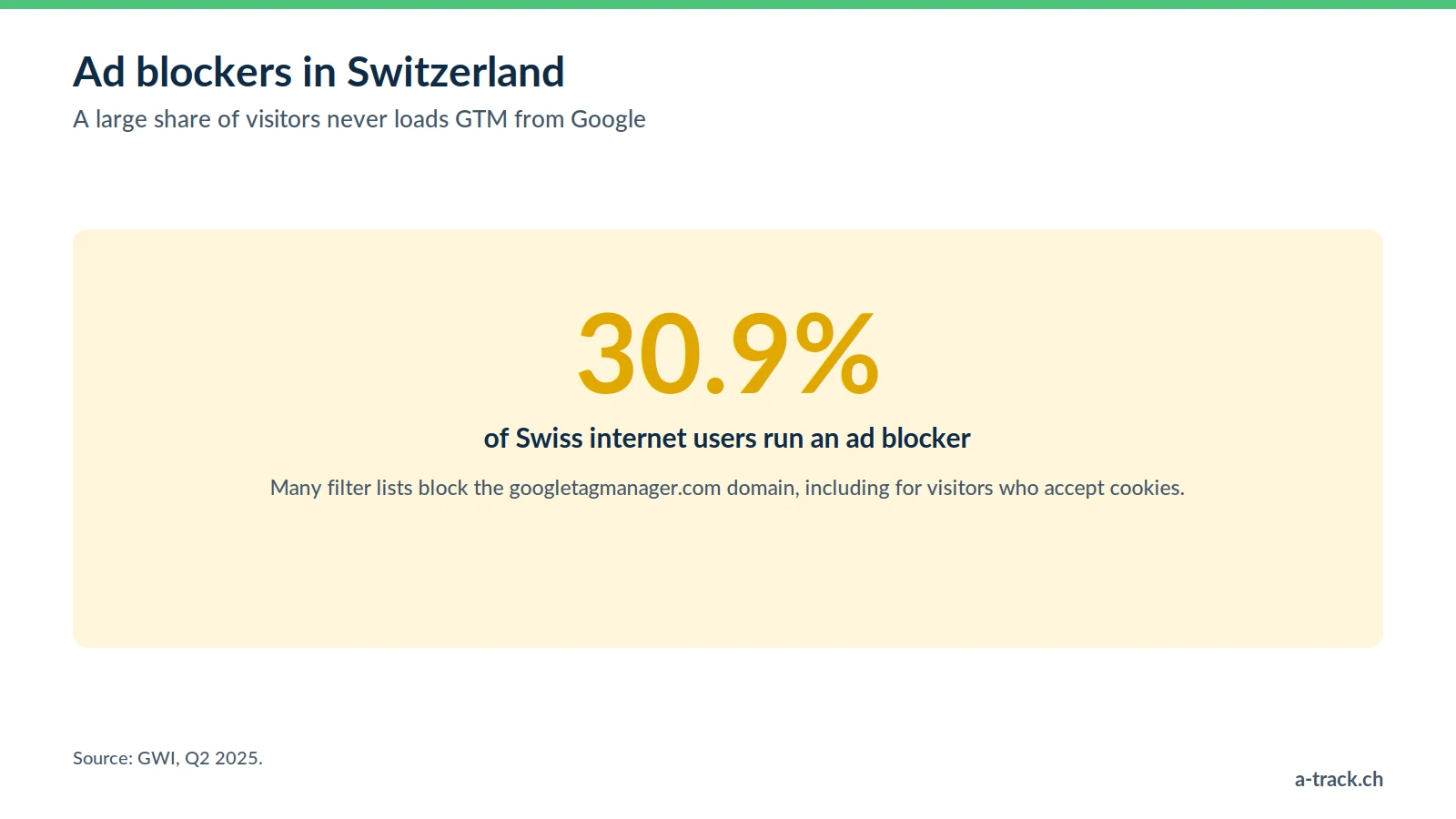
Ad blockers (uBlock Origin, AdBlock Plus, Ghostery) and some built-in browser protections compare each request with public filter lists. They mainly block known domains and paths, for example:
googletagmanager.com/gtm.js
connect.facebook.net (Meta pixel)
google-analytics.com
The result: when GTM does not load, no tag fires, including for visitors who accepted measurement in your banner. Your audiences and conversions are under-counted, and Smart Bidding optimises on a partial picture.
The Custom Loader: GTM served from your domain
The principle is simple: instead of calling the standard file on googletagmanager.com, the browser loads the same GTM container from a subdomain of the site (for example data.yourclient.ch), connected to your server-side tracking server.
Same container, same rules: tags, triggers and consent conditions do not change.
First-party measurement: the script and measurement requests stay on the site's domain, under your control.
An accepted practice: Google itself offers the Google tag gateway, which serves its tags from the advertiser's domain through a CDN or a server.
For the full architecture, see our article what is server-side tracking.
The red line: consent is never bypassed
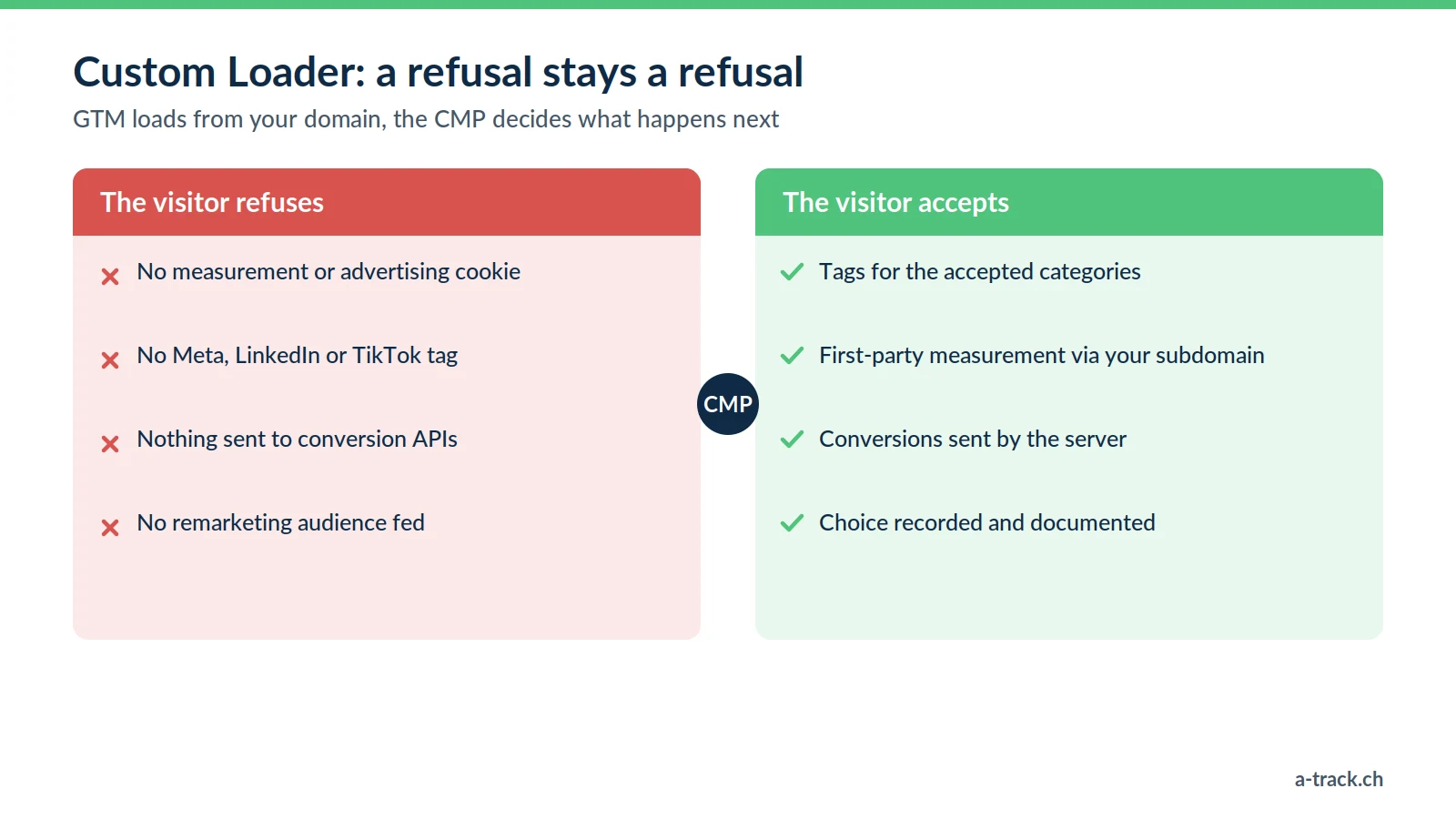
Loading GTM more reliably gives you no additional right over the visitor's data. At A-Track, the rule is clear:
The Custom Loader loads the tool. It lets the container exist on the page and the banner display properly.
The CMP decides. Tags only fire for the categories accepted. If the visitor refuses, no consent-dependent tag fires; with Consent Mode v2 in advanced mode, only cookieless signals may be sent to Google.
Transparency still applies. Declare the measurement subdomain and the recipients in the privacy policy.
On the legal side: in Switzerland, Art. 45c of the Telecommunications Act requires information about cookies and a right to refuse them; in the EU, the ePrivacy Directive and the GDPR require prior consent. An ad blocker is not a legal refusal, but it does express a preference: all the more reason for a clear banner where refusing is as easy as accepting. Details in our FADP and GDPR compliance guide.
Setting it up with Stape in three steps
Configuring first-party loading by hand requires routing and hosting skills. We use Stape's Custom Loader, which industrialises the process.
1. The tagging server
We deploy a server-side GTM container on a client subdomain, hosted in the EU.
2. Activating the Custom Loader
In Stape, we enable the feature for the relevant web GTM container. Stape generates the new loading code.
3. Replacing the GTM code
This is the only change on the site: the standard GTM code in the <head> is replaced with the new one (or through the Stape app for supported CMSs). We then check in the Network tab that the script is served from the subdomain.
What you can expect
More complete GA4 data for visitors who consented.
More reliable ad conversions, especially when Meta or Google sends also go through the server.
Clearer attribution: you see better which channels actually drive sales.
The effect depends on the audience: a technical B2B site and a consumer site do not react the same way. Measure it rather than assume it.
A-Track tip
After go-live, run two tests with an ad blocker switched on: accept everything, then refuse everything. In the first case, tags should fire from your subdomain; in the second, no measurement or advertising cookie should appear. If refusing blocks nothing, fix that before anything else.
Conclusion: reliable measurement, respected choice
Check that the CMP and Consent Mode v2 work before touching how GTM loads.
Switch GTM to first-party loading through your tagging server.
Test acceptance and refusal, then monitor the setup over time: server-side tracking can break after go-live.
Is GTM really loading for visitors who consented?
A-Track serves your GTM container from a first-party subdomain with Stape, then tests acceptance and refusal: the CMP always stays in charge.
Check where you stand with a free tracking and compliance audit, delivered within 48 hours.