

Table of content
"My campaigns aren't working." "I can't find my sales in Analytics." Agencies hear these lines every week, and the reflex is to question the creative, the targeting or the budget. Yet very often the campaign is not what's broken: the thermometer is.
In short
Faulty tracking distorts reports, then bids and budget decisions.
15 checkpoints in four blocks: GA4, data quality, consent, Google Tag Manager.
Most checks take about an hour with GA4, GTM preview and the browser's Network tab.
Every issue you find is a concrete basis for proposing an upgrade project.
Why audit tracking before touching the campaigns
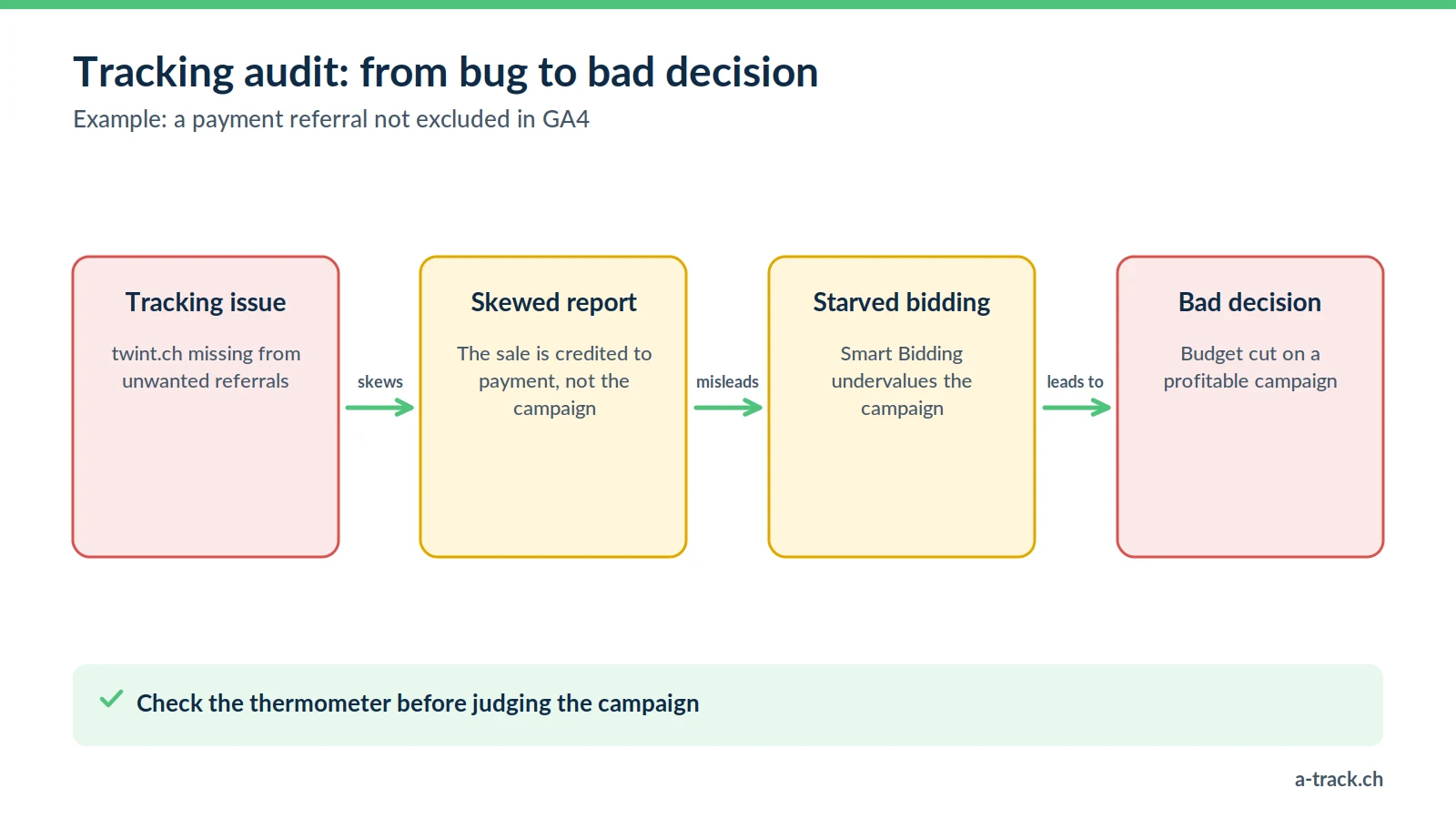
Since the forced move to GA4, the arrival of server-side and the requirements of the FADP, tracking setups have become fragile stacks. A theme update, a new plugin or a new payment provider can break measurement without anyone noticing.
A regular audit helps you:
Restore trust: prove to the client that the figures you report are right.
Protect the budget: stop optimising on fake conversions or misattributed sales.
Protect the agency: spot a compliance gap before it turns into a legal or commercial problem.
Use the 15 points below as a reading grid, one client account at a time. For the bigger picture, see our marketing performance measurement guide.
Block A: GA4 configuration hygiene (points 1 to 4)
1. Is the account structure clean? Check: are there still Universal Analytics tags (UA-XXXX) in the code or in GTM?
Impact: Universal Analytics stopped processing data in July 2023 and has been inaccessible since July 2024 (Google Analytics Help). These tags just add weight to the site.
2. Is cross-domain tracking configured? Check: Shopify store plus WordPress blog, external booking tool: is the user followed from one domain to the other without losing the session?
Impact: one visit becomes two sessions, and the conversion lands in "Direct" instead of "Google Ads". More in our article on cross-domain tracking.
3. Are unwanted referrals listed? (a Swiss classic) Check: in the GA4 data stream, under "List unwanted referrals", do you find twint.ch, postfinance.ch, paypal.com or stripe.com?
Impact: without them, when the buyer returns from payment, the sale is credited to the payment provider instead of your campaign. Google names this exact third-party payment case in its GA4 Help.
4. Data retention Check: standard GA4 properties offer 2 or 14 months. Is the setting still on 2 months?
Impact: in explorations, year-over-year comparisons become impossible (Google Analytics Help).
Block B: data quality and e-commerce (points 5 to 8)
5. Transaction deduplication Check: if the buyer reloads the thank-you page, is the purchase counted twice?
Impact: artificially inflated revenue. Send a unique transaction_id so GA4 can discard duplicates.
6. Currency consistency (CHF and EUR) Check: if the site sells in several currencies, does each purchase send the right currency code?
Impact: without a consistent currency parameter, revenue reports mix amounts and become useless.
7. A structured dataLayer Check: does the site expose prices, products and IDs in window.dataLayer, or does tracking read the page's HTML ("DOM scraping")?
Impact: scraping breaks with the slightest design change; a dataLayer stays stable. See our dataLayer guide.
8. Data thresholding Check: do rows vanish from reports, with the "threshold applied" icon?
Impact: GA4 withholds some data when too few users are involved, especially demographics and search queries (GA4 Help). Check the reporting identity: the "Device-based" option often reduces thresholding on small volumes.
Block C: consent and personal data (points 9 to 12)
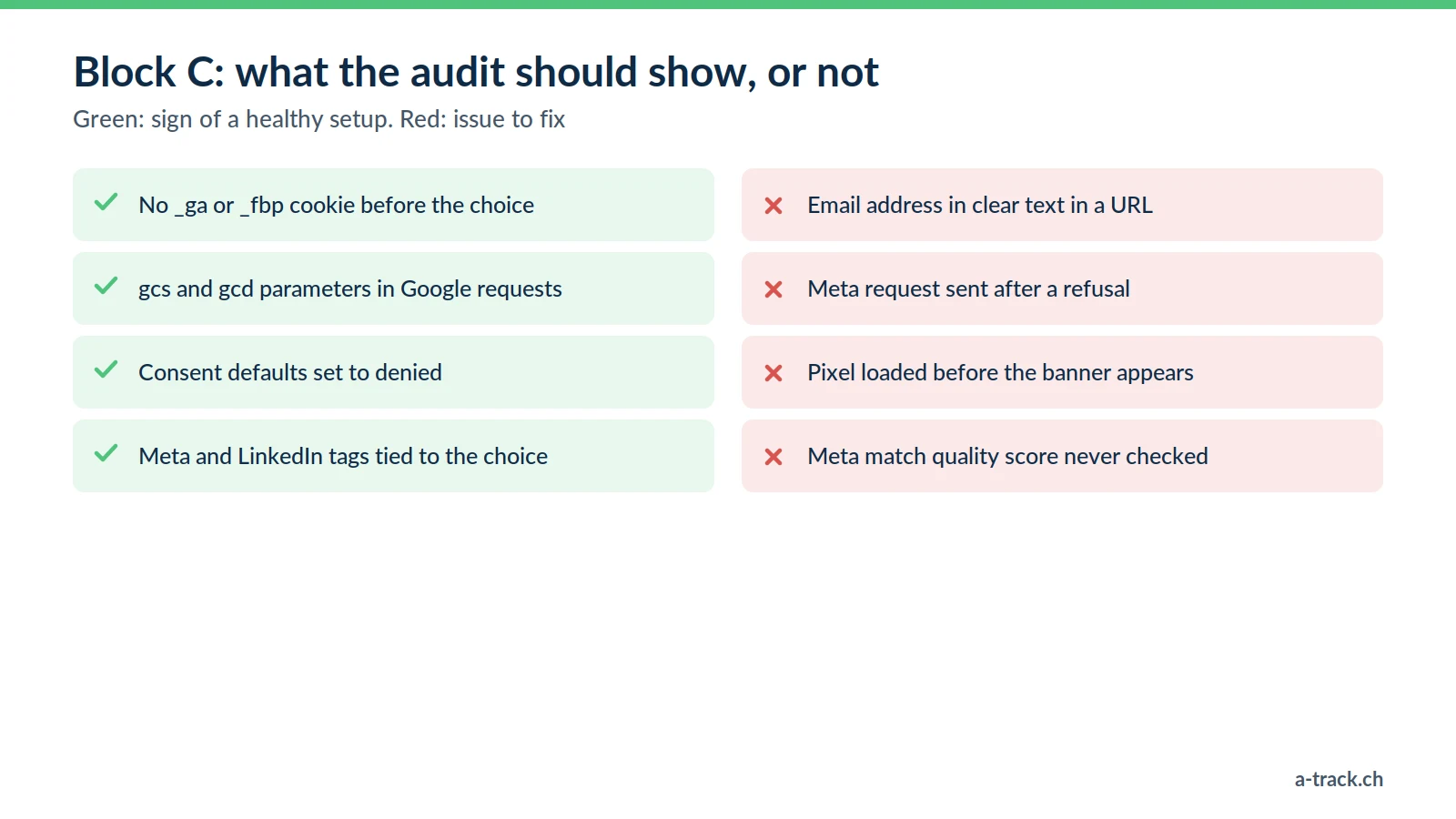
9. Tags firing before the visitor's choice Check: in a private window, open developer tools. Do _ga or _fbp cookies appear before any click on the banner?
Impact: for EU visitors, this breaches the prior consent rule (ePrivacy and GDPR). In Switzerland, Art. 45c of the Telecommunications Act requires information and a right to refuse, and Google has required consent for personalised advertising since 31 July 2024. Either way, the banner does not do what it claims.
10. Google Consent Mode v2 setup Check: do requests to Google carry the gcs and gcd parameters?
Impact: without valid signals, Google Ads remarketing audiences stop filling up. See our Consent Mode v2 guide.
11. PII in URLs Check: in the pages report, do you see email addresses or phone numbers in clear text (for example ?email=...)?
Impact: Google's policies forbid sending Analytics any data that could identify a person (Google Analytics Help), and it is personal data processing your privacy policy probably does not cover.
12. Meta event match quality Check: in Events Manager, what Event Match Quality score do your key conversions show?
Impact: a low score means Meta struggles to match conversions to users. Server-side CAPI, with consented and hashed data, usually improves matching.
A-Track tip
Always run the refusal test: reject everything on the banner, reload, then filter the Network tab on "collect" and "facebook". Whatever still leaves at that point is what your client is really accountable for.
Block D: Google Tag Manager (points 13 to 15)
13. Messy custom HTML tags Check: is the GTM container full of undocumented copy-pasted scripts?
Impact: security risk (script injection) and a slower site. Prefer templates from the GTM gallery.
14. Fragile triggers Check: do your conversions depend on a button's text (click on "Buy")?
Impact: if the client renames the button "Order", measurement breaks. Use dataLayer events, or at least dedicated IDs or CSS classes.
15. Versions and workspaces Check: do you find dozens of unnamed versions or abandoned workspaces?
Impact: nobody knows who changed what, and clean rollbacks become impossible. Name and describe every published version.
Turning the audit into an agency project
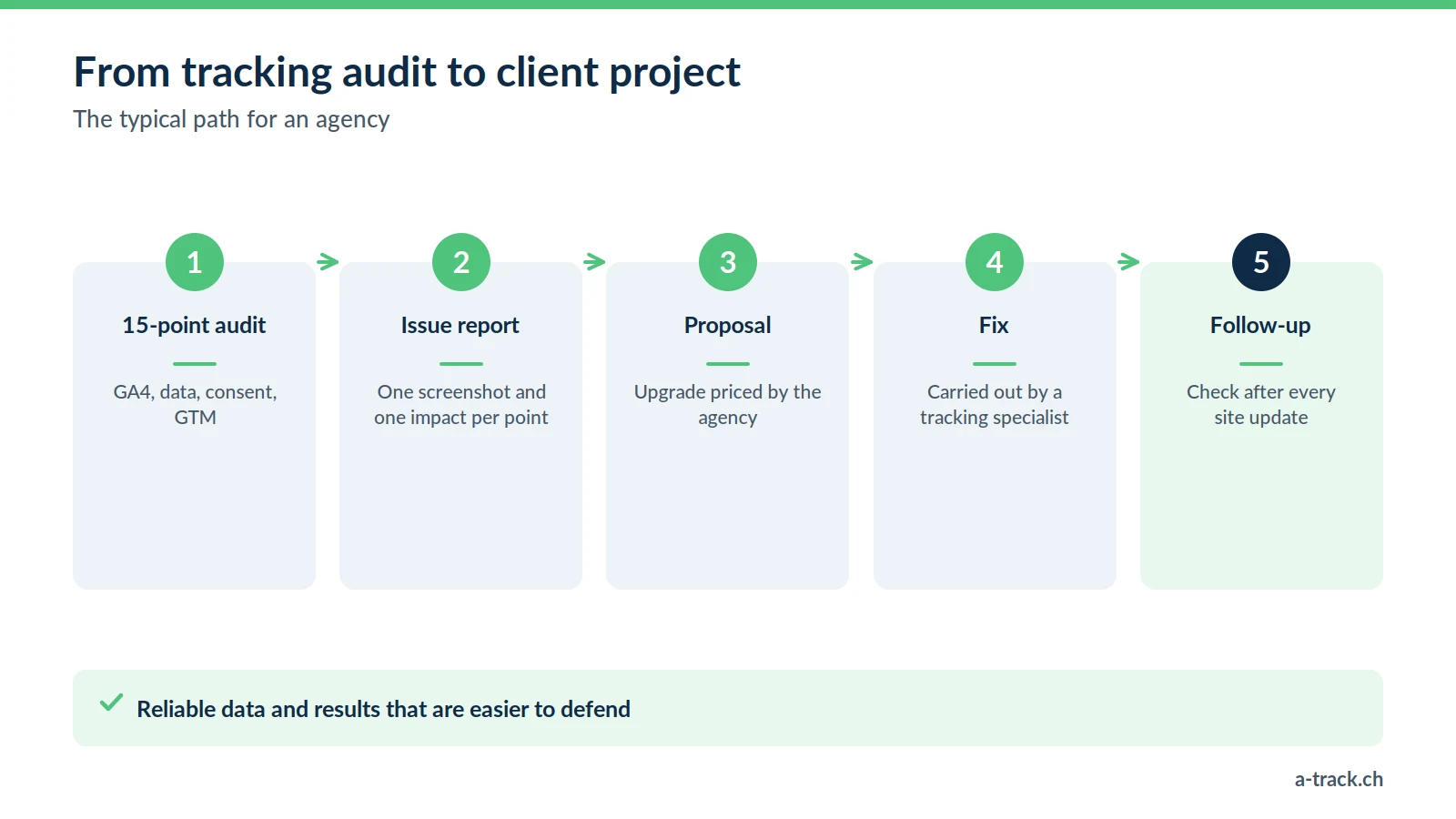
If this review reveals several issues on a client account, you are holding a business opportunity, not just a technical problem.
Tracking has become integration work in its own right. Rather than patching things up, offer your client a tracking upgrade and hand the technical execution to a specialist such as A-Track. You win twice:
You bill for advice and project management.
Your next campaigns run on reliable data, so their results are easier to defend.
Conclusion: where to start this week
Pick your most exposed client account (e-commerce, high Ads budget) and run the 15 points.
Start with Block C: consent and PII are the issues that carry the most liability.
Log each issue with a screenshot and its impact: that is the basis of your recommendation to the client.
No time to run the 15 checks yourself?
A-Track runs this checklist on one client account: GA4, data quality, consent and GTM, with a prioritised report of the issues found.
Get your free tracking and compliance audit, delivered within 48 hours.