

Table of content
Monday morning, a client calls their agency: no sales have reached Google Ads since Friday. The cause? The developer updated the design and renamed the CSS class of the "Add to cart" button from .btn-green to .btn-blue. The tracking, hooked to that class, stopped working without warning.
In short
DOM scraping reads the rendered page: it breaks with the slightest change in design, text or language.
The DataLayer passes structured data to Google Tag Manager, independently of the design.
For e-commerce, follow GA4's official format (purchase, transaction_id, value, currency, items).
Never put personal data in plain text in the DataLayer.
What is the DataLayer?
Your site speaks HTML, CSS and JavaScript; Google Tag Manager (GTM) expects clear information. The DataLayer bridges the two.
Technically, it is a JavaScript array (window.dataLayer) into which the site drops structured information at the right moment. GTM reads it and forwards it to your measurement tools.
Without a DataLayer: GTM guesses what is happening by watching the page (a button's class, the displayed text). It is fragile.
With a DataLayer: the site states explicitly "a purchase has just happened, here are the amount and the ID". It is reliable.
At A-Track, we do not start any sizeable project without validating or implementing a structured DataLayer.
Why DOM scraping is bad practice
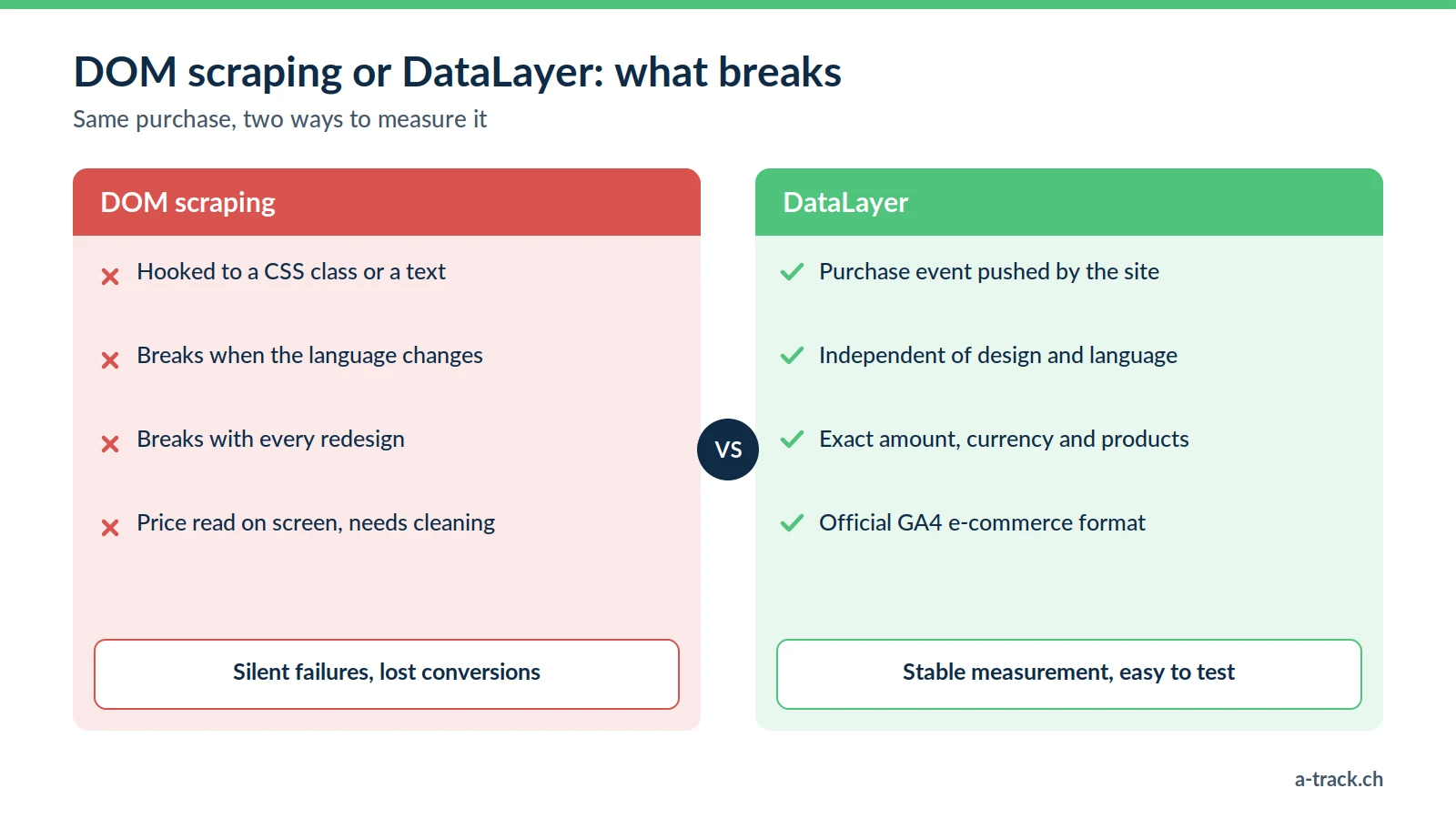
DOM scraping means configuring GTM to "read" elements of the page. Example: fire the Purchase tag when the page contains the text "Thank you for your order".
Language change: the German version shows "Danke für Ihre Bestellung". The trigger finds nothing.
Redesign: a renamed class or a modified HTML structure, and the CSS selector no longer matches.
Approximate values: a price read on screen ("CHF 1,254.00 incl. VAT") has to be cleaned up, and the slightest format change distorts revenue.
These failures are silent: no error message, just conversions disappearing. It is one of the gaps our tracking audit checklist uncovers.
The GA4 standard: speaking Google's language
For e-commerce, there is no need to reinvent the wheel: GA4 defines a precise format, described in Google's e-commerce documentation. Hand it to your developers.
For a purchase, the site pushes a purchase event with an ecommerce object containing:
transaction_id: the unique order ID (for example T_12345);
value and currency: the amount (254.00) and the currency (CHF);
items: the list of products, with item_id, item_name, price and quantity.
Google recommends clearing the ecommerce object before each new event (dataLayer.push({ ecommerce: null })), so that products from a previous event do not leak into the next one. Structured this way, tracking no longer depends on the button's colour or the site's language.
A-Track tip
Never push PII in plain text (user_email: "jean@example.ch") into the DataLayer: anyone can read it in the browser console. For Enhanced Conversions, Google accepts data already hashed with SHA-256 (Google Ads Help); hashing can also be done in a server-side GTM container.
Who does what: agency, developer and tracking expert
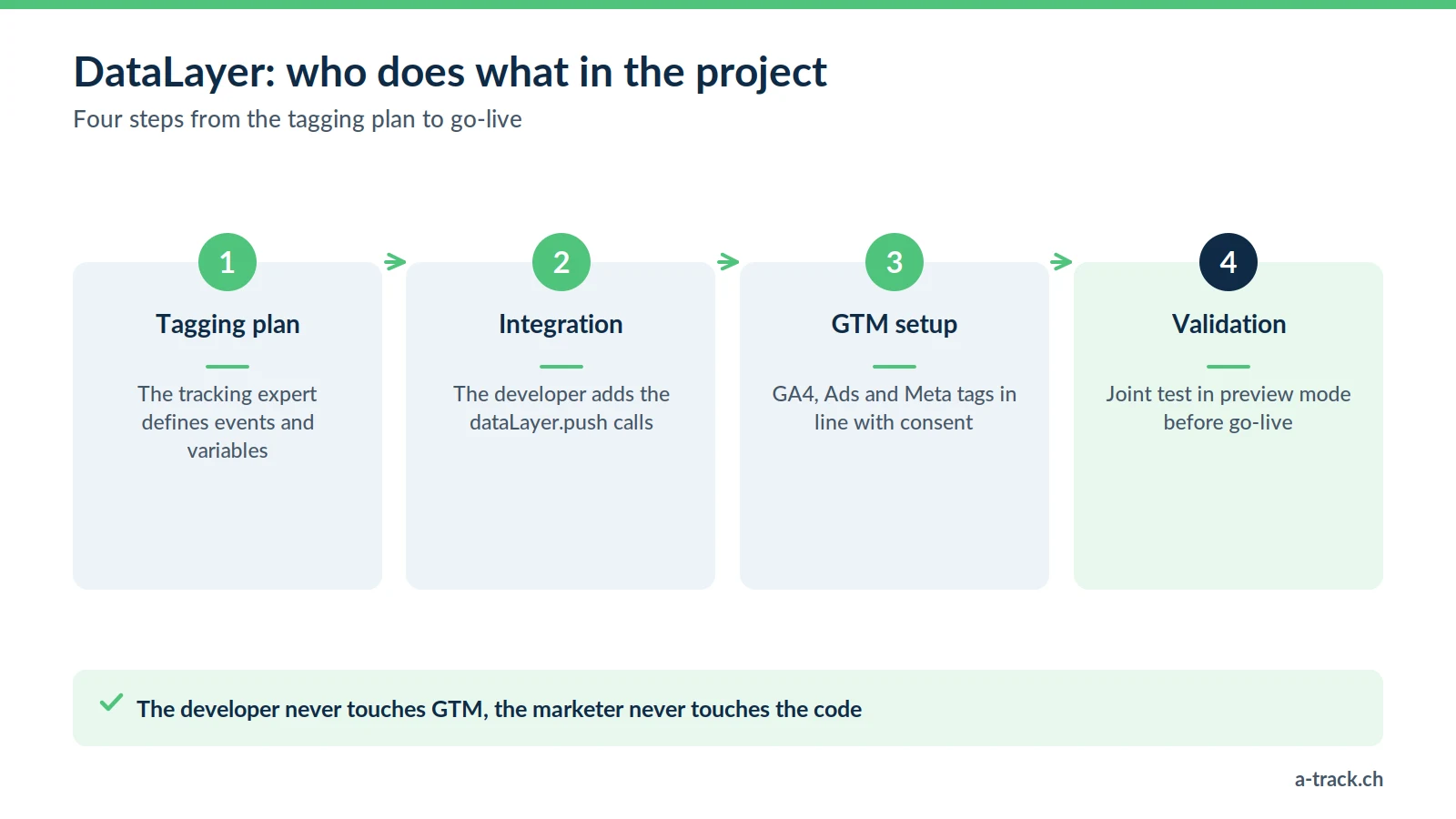
This is often the friction point: the marketer does not code, the developer does not know GTM. We recommend this split of roles:
The tracking expert writes the tagging plan: "On the confirmation page, push the purchase event with these variables."
The developer adds the dataLayer.push calls to the site according to these specifications, without touching GTM.
The tracking expert configures GTM to read the DataLayer and send the data to GA4, Google Ads, Meta or LinkedIn, in line with consent.
Everyone validates together in preview mode before going live.
CMS or custom site: who needs to code?
Good news: on common CMS platforms, coding is often unnecessary.
WordPress / WooCommerce: proven plugins such as GTM4WP generate a GA4-compatible DataLayer. Still check the values (taxes, discounts).
Shopify: native "Customer Events" and dedicated apps do the job.
Custom site (Laravel, React, Angular...): the developer must step in, and a precise tagging plan avoids back-and-forth.
Conclusion: three actions for tracking that stops breaking
List the GTM triggers based on CSS classes, texts or selectors: these are your breaking points.
Replace them with DataLayer events, starting with conversions (purchase, form, booking).
Test after every site update. To go further, see our guide to marketing performance measurement.
Does your tracking break with every redesign?
A-Track writes the tagging plan, specifies GA4-format dataLayer.push calls for your developers and replaces fragile DOM-based triggers.
Let's review your setup in a 30-minute call with an expert.